
Product photography on eBay has a unique job. Your images need to make the product attractive, but they also need to help buyers understand exactly what they're purchasing.
That's especially important on a marketplace where brand-new products appear alongside used electronics, collectibles, vintage items, automotive parts, refurbished products, and one-of-a-kind goods.
From image dimensions and backgrounds to multiple angles and condition photos, here's what sellers should know about eBay product photography.
What Makes a Good eBay Product Photo?
A strong eBay photo should make the product immediately understandable.
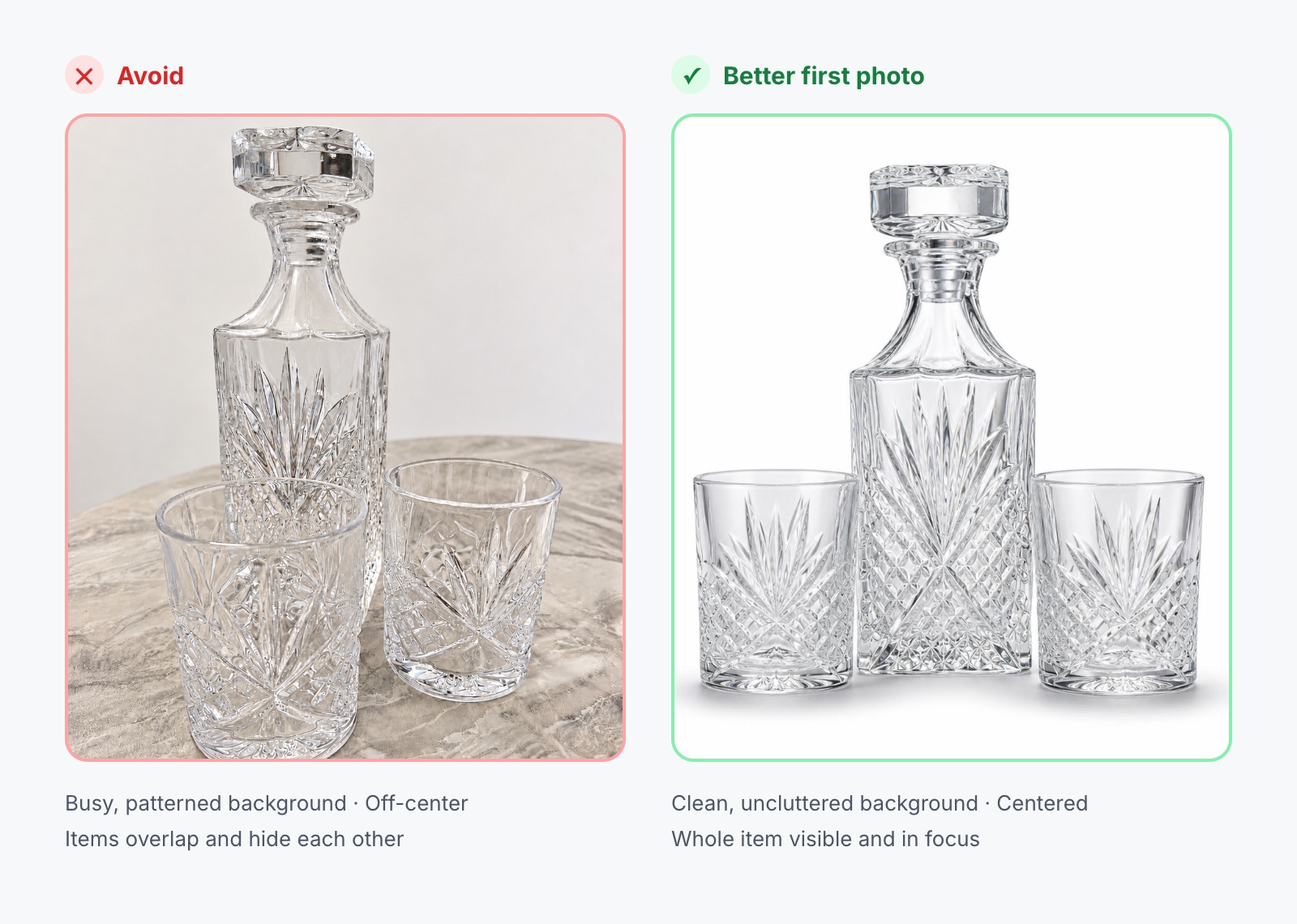
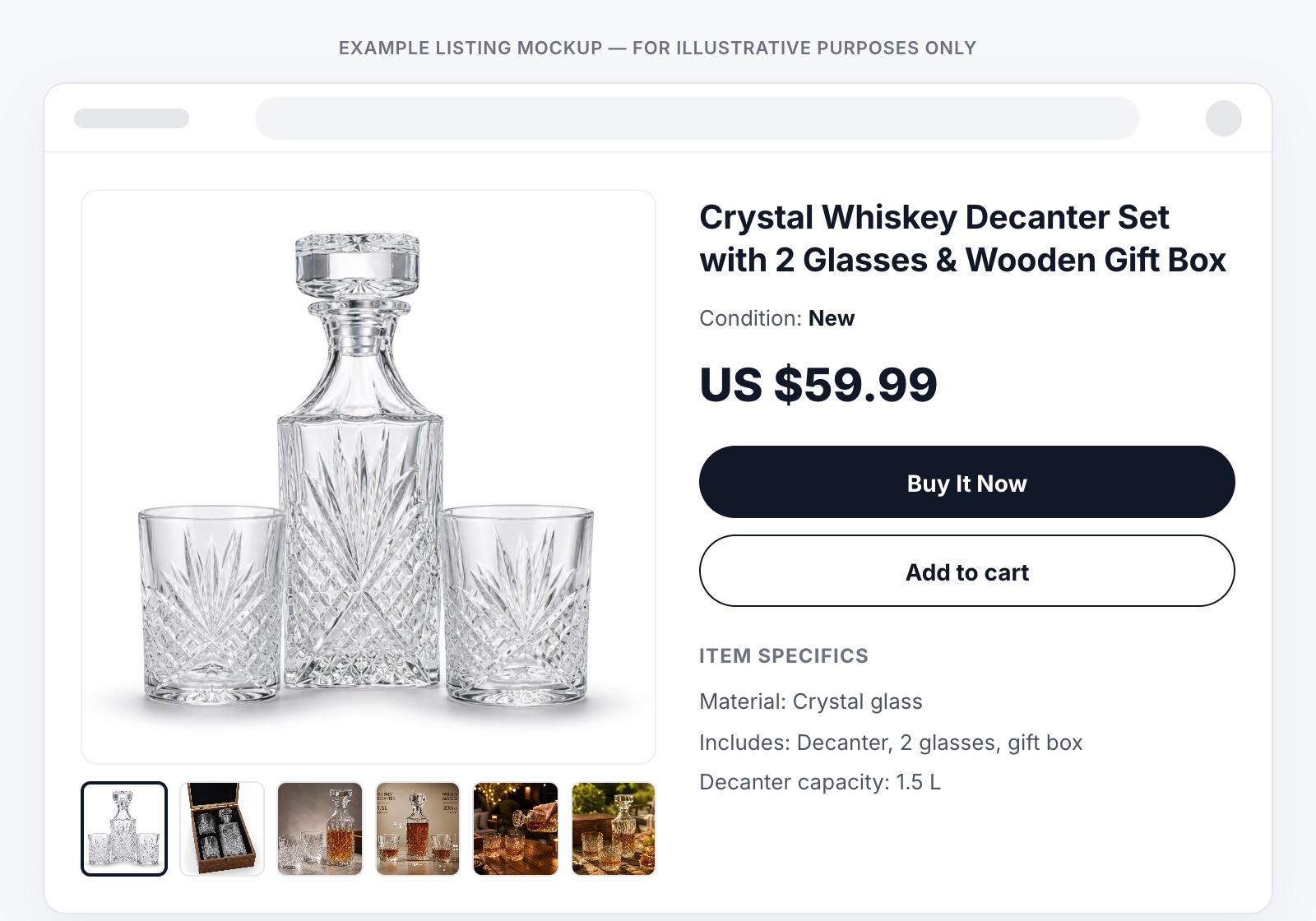
For your first listing image, eBay recommends centering the item, showing it fully, and making it the focal point of the photo. The background should be clean and uncluttered so buyers can focus on the product.
Unlike Amazon, eBay does not require a pure-white background. White and neutral backgrounds are generally recommended, but the best background depends on the product. A darker background, for example, may provide better contrast for a light-colored or reflective item.
The goal is simple: show the product clearly and accurately.
Build a Photo Set — Not a Collection of Similar Photos
eBay allows sellers to upload up to 24 photos per listing. That doesn't mean you should automatically use all 24.
Instead, every additional photo should give the buyer new information.
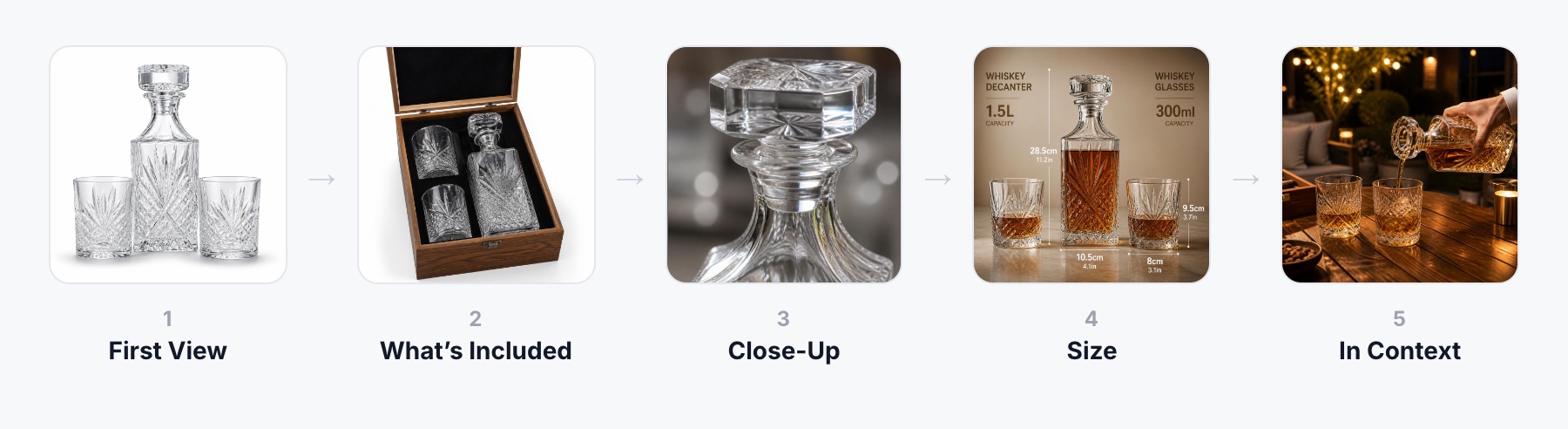
A useful eBay product photo set might include:
- First view: clearly identify the product.
- Different angles: show the front, back, sides or other relevant perspectives.
- Close-ups: reveal materials, textures, labels, ports, stitching or important details.
- Size and scale: help buyers understand how large the product actually is.
- Context: show how or where the product can be used.
- Condition: document wear, scratches or imperfections when selling a used item.
For electronics, that might mean showing the ports and controls. For a bag, buyers may want to see the interior and straps. For an automotive part, labels, connectors and part numbers may matter.
The number of photos isn't what makes the listing useful. The information contained in those photos does.
eBay Image Size and Technical Requirements
The technical requirements are relatively straightforward.
| Requirement | eBay Guideline |
|---|---|
| Minimum image size | 500 px on the longest side |
| Recommended image size | At least 1600 × 1600 px |
| Maximum photos | Up to 24 |
| Maximum file size | 12 MB per image |
| Recommended aspect ratios | 1:1 or 16:9 generally look best |
| Background | Clean, preferably white or neutral |
| Used items | Show the actual item |
| Text, borders & watermarks | Not allowed |
eBay currently accepts common formats including JPEG, PNG, GIF, TIFF, BMP, WEBP, HEIC and AVIF.
Although 500 pixels on the longest side is the minimum, eBay recommends images of at least 1600 × 1600 pixels for better quality.
However, don't simply enlarge a small image to reach that number. eBay specifically advises against enlarging low-resolution originals because resizing cannot restore image detail that wasn't captured in the first place.
What Is the Best Aspect Ratio for eBay Photos?
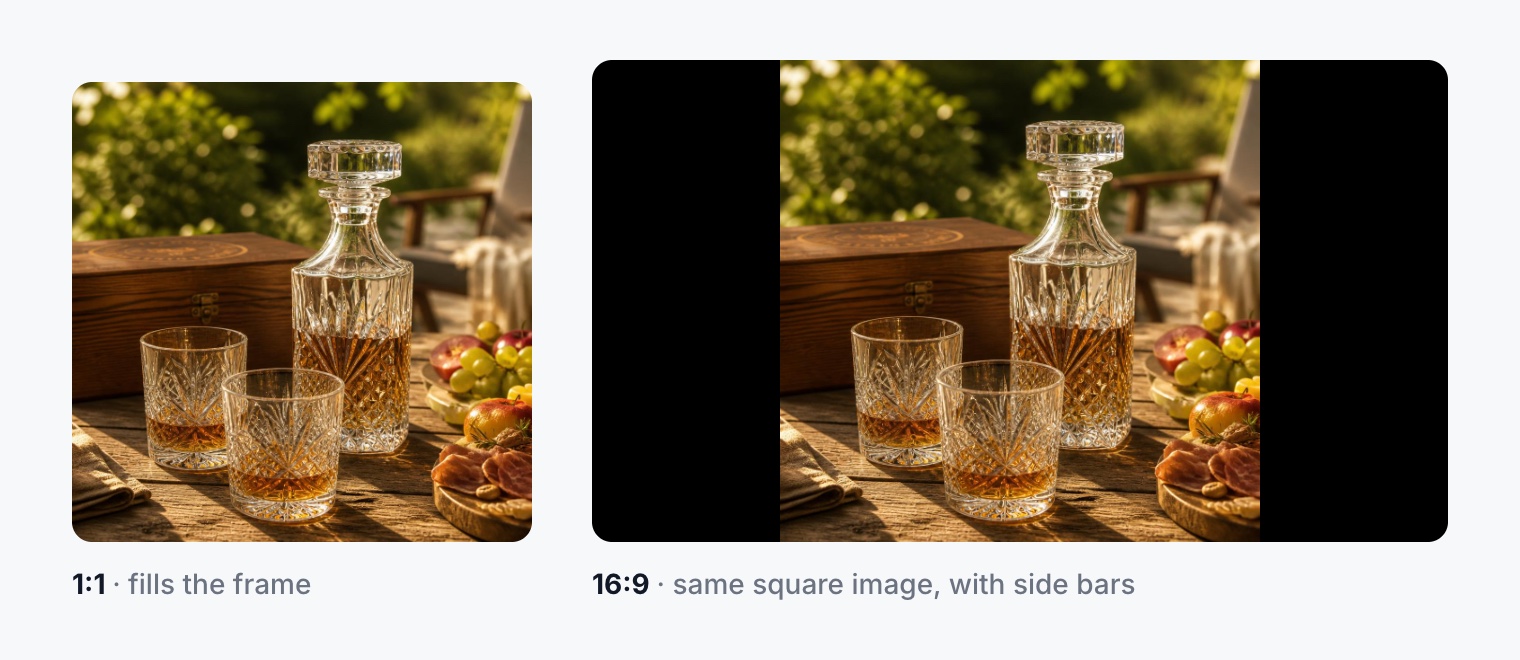
eBay doesn't require one specific image ratio, but its current guidance says that 1:1 and 16:9 photos generally look best across listings, search results and other placements.
A 1:1 square image is a practical choice for product-focused photography and works well for many common ecommerce products.
A 16:9 image provides more horizontal space and may suit wider products or contextual compositions.
The product itself should ultimately determine the composition. Don't force an item into a ratio that results in awkward cropping or excessive empty space.
Selling Used? Your Photos Have a Different Job
This is where eBay product photography becomes particularly different from photography for many traditional online stores.
When you're selling a used product, the images don't just present the item — they document its condition.
For items listed as used, damaged or defective, eBay does not allow stock or catalog photography to replace photographs of the actual item being sold.
If the product has a scratch, dent, crack, discoloration, worn area, damaged packaging or another relevant imperfection, show it.
eBay recommends close-up photographs of blemishes, damage and wear so buyers can understand the item's condition before purchasing.
| New Product | Used Product | |
|---|---|---|
| Focus | Presentation | Presentation and condition |
| Angles | Show useful angles | Show useful angles |
| Details | Highlight features | Highlight features and imperfections |
| Context | Can demonstrate use | Actual-item photos are essential |
| Priority | Consistency is valuable | Accuracy takes priority over perfection |
This distinction becomes particularly important when using AI.
Never use AI or image editing to remove damage, scratches or wear from a used product if doing so makes the listing misrepresent what the buyer will receive.
Backgrounds: White Isn't the Only Option
eBay recommends clean, uncluttered backgrounds, with white or neutral backgrounds working well for many products.
But there is no requirement that every eBay product photo use pure white.
A light product may benefit from a slightly darker neutral background. Reflective or shiny products can also require additional contrast.
Additional listing photos can use contextual environments where appropriate. For example, furniture can appear inside a room or a bag can be shown in use.
eBay itself offers AI-powered background tools that can place products into studio-style backgrounds or generated environments. eBay recommends ensuring those backgrounds don't distract from the product.
Can You Add Text or Infographics to eBay Images?
This is an important area where sellers shouldn't simply copy an image strategy from another marketplace.
eBay's picture policy prohibits added text, artwork, marketing material, borders and watermarks on listing photos.
That means infographic-style images containing promotional text and graphic overlays should not automatically be treated as part of an eBay image strategy.
Important written information can instead be communicated through the listing title, item specifics and description.
This is one reason marketplace-specific product photography matters: an image type that works for one ecommerce platform may not be appropriate for another.
Single Products, Variations and Bundles
Your first image should make it clear what the buyer actually receives.
If you're selling one specific variation, don't create the impression that multiple colors or versions are included.
If you're selling a bundle, eBay recommends showing the items included in that bundle together.
The same applies to accessories. If an accessory shown in the photo isn't included, make sure the image doesn't create a misleading impression.
Your photos and your offer should tell the same story.
Can You Use AI-Generated Product Photos on eBay?
AI is already part of eBay's own seller toolkit. eBay offers AI-powered background enhancement that can isolate products and place them into different environments.
So using AI isn't inherently the problem.
Accuracy is the important part.
AI product photography can help create:
- Clean product presentations
- Consistent backgrounds
- Different product views when supported by adequate references
- Lifestyle scenes
- Contextual environments
But AI should not be used to invent features, change materials, alter the real product color, add accessories that aren't included, or hide imperfections.
For used, collectible, vintage and one-of-a-kind products, actual photographs of the item's condition remain essential.
Product Photography for Different eBay Categories
Different products require different visual information.
Fashion: Show front and back views, fabric, stitching, labels, closures and condition.
Electronics: Show the screen, ports, buttons, connectors, model information, accessories and cosmetic condition.
Collectibles and vintage items: Photograph markings, signatures, stamps, packaging and imperfections. Small details can matter significantly to collectors.
Automotive parts: Show the complete part, connectors, mounting points, labels and part numbers where available.
Instead of following the same photo sequence for every product, ask what information a buyer in that particular category needs before making a decision.
Creating eBay Product Images with ListingSet
ListingSet helps ecommerce sellers create coordinated product listing visuals from product reference images.
For an eBay listing, sellers can create image types such as:
- Clean product images
- Different product angles
- Close-ups
- Lifestyle scenes
- Size visualizations
Select eBay as the target marketplace and choose the image types that make sense for your product.
ListingSet can also generate an optimized product title and description, allowing the visual and written components of the listing to be created within the same workflow.
For used, damaged, vintage, collectible or one-of-a-kind products, real photographs should still be used to document the actual item's condition. AI-generated images should supplement the listing — not conceal information the buyer needs.
eBay Product Photo FAQ
How many photos can you add to an eBay listing?
eBay currently allows up to 24 photos per listing.
What is the minimum eBay image size?
Listing photos must be at least 500 pixels on the longest side.
What image size does eBay recommend?
eBay recommends images of at least 1600 × 1600 pixels.
What is the best aspect ratio for eBay photos?
eBay says 1:1 and 16:9 photos generally look best across listings and search placements.
Does eBay require a white background?
No. White or neutral backgrounds are generally recommended, but pure white is not mandatory.
Can you use stock photos for used items?
Stock or catalog photos cannot replace photographs of the actual item when it is listed as used, damaged or defective.
Can you use AI-generated images on eBay?
Yes, AI can be used in product imagery — eBay itself offers AI background tools. The resulting images must still accurately represent the item being sold.
Give Buyers the Information They Can't Get in Person
The best eBay photo set isn't necessarily the one with the most images.
It's the one that answers the most important buyer questions.
Use the first image to identify the product. Use additional angles to let buyers explore it. Show details that matter, communicate size when necessary, and use context where it adds useful information.
And when you're selling a used item, document its real condition — imperfections included.
On eBay, great product photography isn't only about making something look good. It's about helping buyers understand exactly what they're buying.