
Etsy shoppers browse differently from Amazon shoppers.
On Amazon, people usually know what they want and compare near-identical products. On Etsy, a lot of shoppers are browsing for something they haven't seen yet: a gift, a piece for their living room, something that feels a little more personal than what they'd find in a big-box store.
That changes what your photos need to do. They still have to show the product clearly, but they also have to make someone stop scrolling and imagine owning it.
The good news is that you don't need a studio. Most of what makes an Etsy photo work comes down to framing, light, and choosing the right set of shots.
Etsy Image Size and Technical Basics
Etsy's technical requirements are relaxed compared to Amazon's, but a few numbers are worth knowing.
| Setting | What to use |
|---|---|
| Recommended size | At least 2000 px on each side |
| Minimum for the first photo | 635 px on each side, or the listing may rank lower |
| File formats | JPG, PNG or GIF |
| Photos per listing | Up to 20 |
| Video | One short clip, 5–15 seconds |
| Background | No requirement. White, colored and styled backgrounds are all allowed |
The 2000-pixel recommendation matters because Etsy lets shoppers zoom in. A small image looks fine in search but turns soft the moment someone tries to check the details, which is exactly when they're deciding whether to buy.
Etsy raised the photo limit from 10 to 20 in 2025. That doesn't mean every listing needs 20 photos. It means you no longer have to leave out a useful shot because you ran out of slots.
Your First Photo Has Two Jobs
The first photo is the one that shows up in search, in category pages, in Etsy ads and when your listing is shared. It's also the only photo most shoppers will ever see if it doesn't earn a click.
The catch is that Etsy doesn't always show it the way you uploaded it. Depending on where it appears, the first photo is cropped to a different shape, and on desktop search that's usually a square.
If your product touches the edges of the frame, something will get cut off. With a vase full of dried flowers, that's usually the top of the arrangement. With jewelry, it's often the clasp or the end of a chain.
The fix is simple: leave some breathing room around the product and keep it close to the center. When you upload the first photo, Etsy lets you adjust the thumbnail crop. Use it, and check the result before you publish.
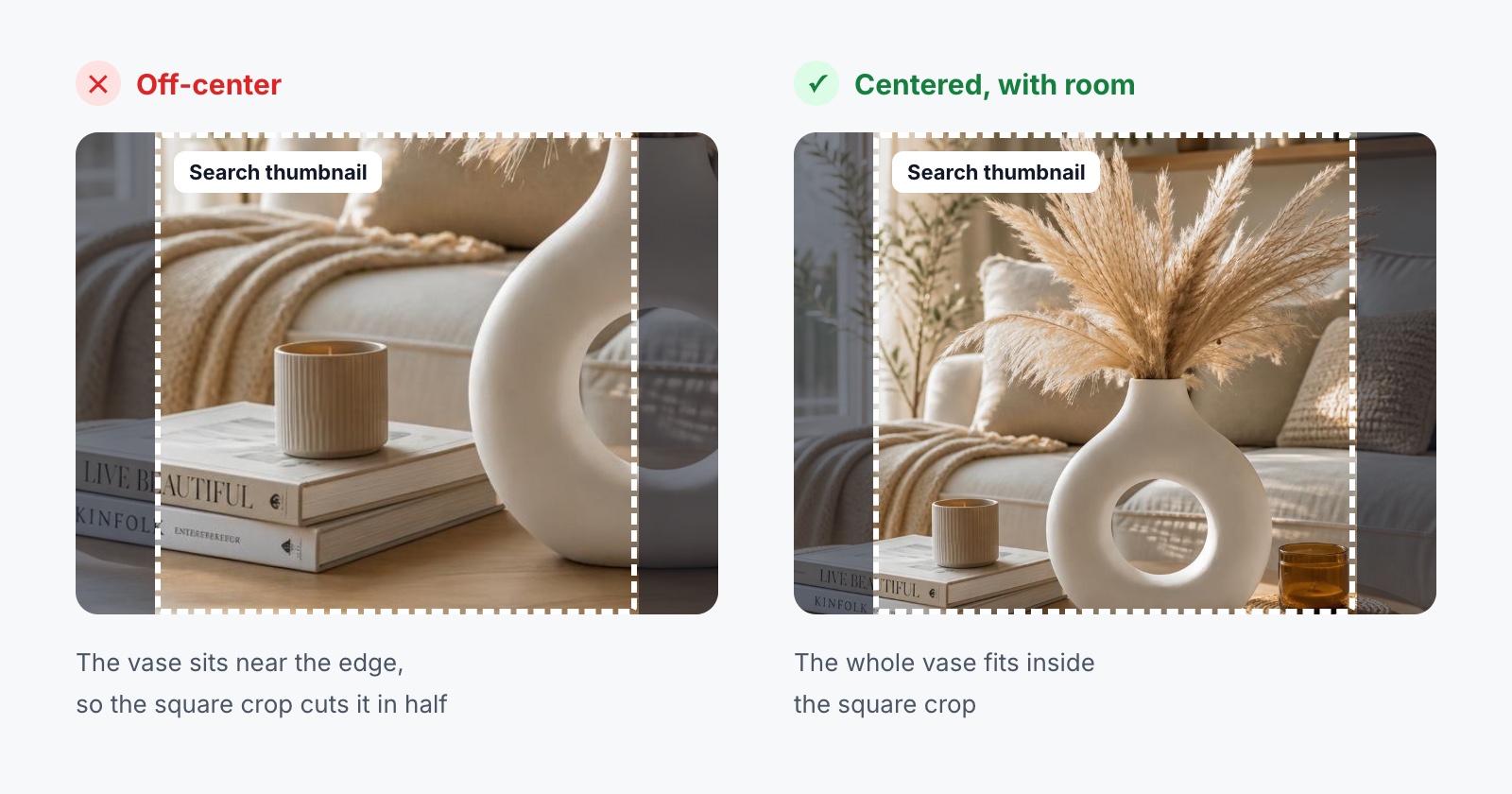
A quick test: shrink the photo on your screen until it's roughly the size of a search result. If you can still tell what the product is and what makes it special, it's working.
Styled vs. Plain: What Works on Etsy
Etsy has no white-background rule, and that's one of its biggest advantages.
A plain photo on a white table shows the product. A styled photo shows the product and suggests how it will look in someone's home, on their wrist or wrapped as a gift. For handmade and decorative items, that second part often does more selling than any description.
Styling doesn't mean clutter, though. A few props that match the mood of the product are enough: a stack of books next to a vase, a linen napkin under a mug, a plant in the background of a print. If a prop is more interesting than your product, it's in the wrong photo.
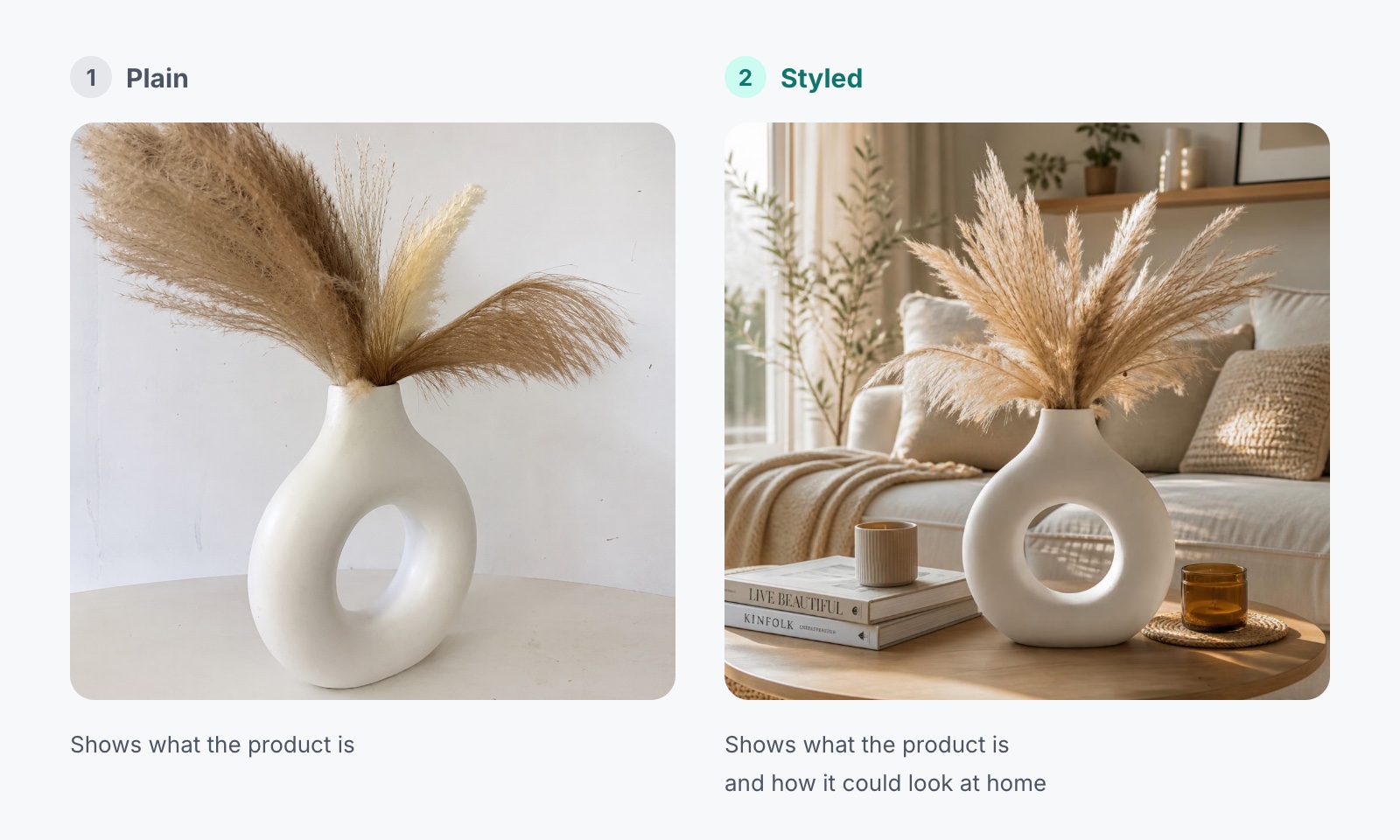
Many successful shops use a styled photo first and a clean, simple photo second. The styled shot earns the click, and the clean one confirms exactly what the buyer gets.
Which Photos to Include
With up to 20 slots, the question isn't how to fill them. It's which photos actually answer the questions a buyer would ask you in person.
For most physical products, that list looks something like this:
- Main photo: The product, clearly framed, in a setting that fits its style.
- Detail shot: Texture, glaze, stitching or engraving. The things that show the quality of the work.
- Other angles: The back, the side, the top. Shoppers want to know there are no surprises.
- Size reference: Measurements on the photo, or the product next to something familiar like a hand or a book.
- In use or in a room: How the product looks where it will actually live.
- Variations: Every color, size or finish you offer, if they look different.
- Packaging: Especially if the item is likely to be bought as a gift.
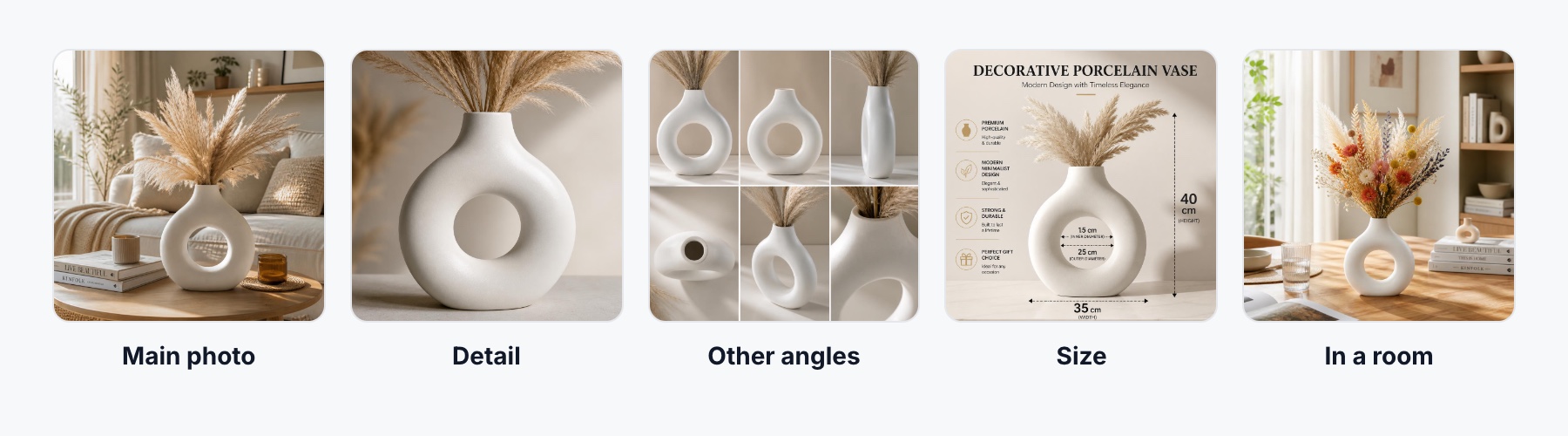
Size deserves special attention. "Smaller than I expected" is one of the most common reasons for disappointed buyers on Etsy, and one clear size photo prevents a lot of those messages.
Light Matters More Than Your Camera
A recent phone in good light will beat an expensive camera in bad light almost every time.
Soft daylight from a window is the easiest place to start. Set the product near the window but out of direct sun, and turn off overhead lights so you don't mix warm and cool light in the same shot. If one side is too dark, a sheet of white paper or foam board on that side will bounce some light back.
Whatever setup you land on, write it down. Shooting at the same time of day, in the same spot, with the same edits is what makes a shop look consistent instead of assembled from random photos.
Keep Your Shop Looking Like One Shop
Shoppers who like a listing often click through to your shop page. That's where they see all your photos side by side.
If one listing is on a white background, the next on a wooden table and the third in harsh evening light, the shop feels unfinished, even if every product is lovely.
You don't need identical photos. You need a recognizable style: similar light, similar backgrounds or colors, and a similar way of framing the first photo. Think of it as the visual version of your brand voice.
Small Details That Help
Name your files. white-porcelain-ring-vase-pampas.jpg is more useful than IMG_2041.jpg, both for you and as extra context when your images appear outside Etsy.
Write alt text. Etsy lets you add a short description to each listing photo. It helps shoppers using screen readers, and it's a good habit to describe what's actually in the picture rather than repeating keywords.
Edit gently. Brighten, straighten and correct the white balance. Don't change the color of the product. If a buyer orders a sage green mug and receives something closer to olive, the photo is the first thing they'll blame.
Add a short video. A few seconds of the product being turned, poured or worn shows things a still photo can't, like how a fabric moves or how a glaze catches the light.
Using AI Images on Etsy
AI image tools can save hours, especially for lifestyle scenes. Instead of styling a different corner of your home for every product, you can place a photo of your item in a living room, a bedroom or a café table setting.
But Etsy is a marketplace built on trust in the maker, and that raises the bar for accuracy. Etsy's rules require listings to show the item buyers will actually receive, and if AI is involved in making the item itself, Etsy asks sellers to disclose it.
In practice, that means using AI around your product, not instead of it:
- Keep at least one real photo of the actual item in every listing.
- Check every generated image for changed details, like a different handle shape, an extra seam or a glaze that's suddenly glossier than the real thing.
- Don't use AI to hide flaws or make a product look larger, shinier or more detailed than it is.
ListingSet was built for exactly this kind of workflow. You upload a photo of your product and choose the image types you need (a clean main image, lifestyle scenes, detail shots, size and infographic images) and get a coordinated set designed around the product you're actually selling. As with any AI tool, review the results against the real item before you publish.
Etsy Photo Checklist
Before you publish a listing, check that:
- The first photo is clear at thumbnail size and survives the square crop.
- Images are at least 2000 px on each side.
- There's at least one detail shot and one size reference.
- Colors match the real product.
- Every variation you sell is shown.
- The photos feel consistent with the rest of your shop.
- Any AI-generated image accurately represents the item.
Final Thoughts
Good Etsy photos aren't about expensive equipment. They're about helping a stranger feel confident buying something they can't touch.
Start with a first photo that reads well at a glance, add the shots that answer real questions, and keep your style consistent from listing to listing.
Do that, and your photos will do a lot of the selling for you.