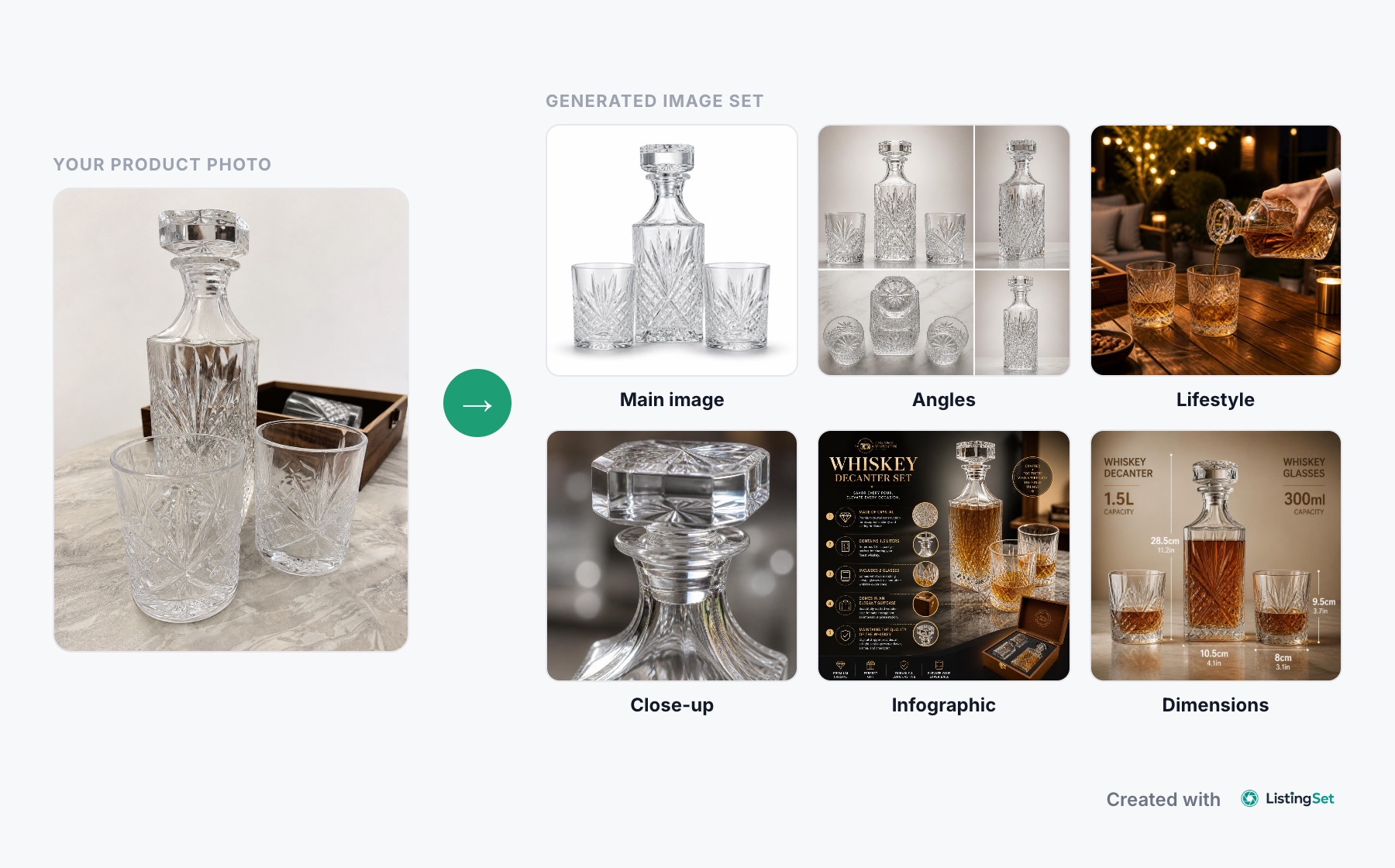
You don't need a professional camera, an expensive studio, or a photographer to create good product photos.
A modern smartphone, decent lighting, and a little preparation can go a long way. The real difference between an amateur-looking product photo and a professional one often comes down to a few simple things: lighting, composition, background, and consistency.
And today, AI has made professional product photography more accessible than ever. What once required multiple photoshoots, different locations, and hours of editing can now be accomplished much faster with the right tools.
Of course, taking one good photo is only part of the job. If you're selling online, you also need different angles, close-ups, lifestyle images, and enough visual information to help customers understand what they're buying.
In this guide, we'll walk through how to photograph products yourself, what equipment is worth buying, how to improve your images, and how to turn a basic product photo into a complete professional listing.
1. Why Product Photography Matters
When customers shop online, they can't pick up a product, inspect its materials, or see how it feels in person.
Your photos have to do much of that work.
A clear image helps customers understand the product's appearance, while additional photos can answer questions about size, texture, features, and everyday use.
Poor photography creates uncertainty.
If a product looks blurry, the colors seem unnatural, or important details are missing, shoppers may hesitate even when the product itself is excellent.
Good product photography isn't simply about making something look attractive. It's about presenting the product accurately and giving customers enough information to make a confident decision.
2. Can You Take Professional Product Photos With a Smartphone?
Yes. For many small and medium-sized products, a recent smartphone is more than capable of producing high-quality images for an online store.
The biggest limitation usually isn't the camera. It's the environment you're photographing in.
Even an expensive camera will struggle with poor lighting, an unsuitable background, or bad composition.
Before buying photography equipment, try improving those three things first.
How to get better results with your phone
- Clean the lens. Fingerprints can make an otherwise sharp image look soft.
- Use the main camera. It generally delivers better quality than digital zoom.
- Avoid digital zoom. Move closer when possible, while maintaining enough distance to prevent distortion.
- Keep the phone steady. A small tripod can make a noticeable difference.
- Tap to focus. Make sure the important part of the product is sharp.
- Check exposure. Avoid blown-out highlights, especially on white or reflective products.
- Use the highest practical photo quality. Keep a high-quality original for editing.
For small products such as jewelry, cosmetics, and accessories, a tripod and controlled lighting can make a bigger difference than upgrading your phone.
3. Lighting: The Most Important Part of Product Photography
If there's one area worth spending time on, it's lighting.
Good lighting reveals product details, keeps colors more accurate, and gives images a clean, consistent appearance.
Bad lighting can make even premium products look inexpensive.
Start with natural window light
For most beginners, a large window is an excellent light source.
Place your product near the window, preferably where the light is soft and indirect.
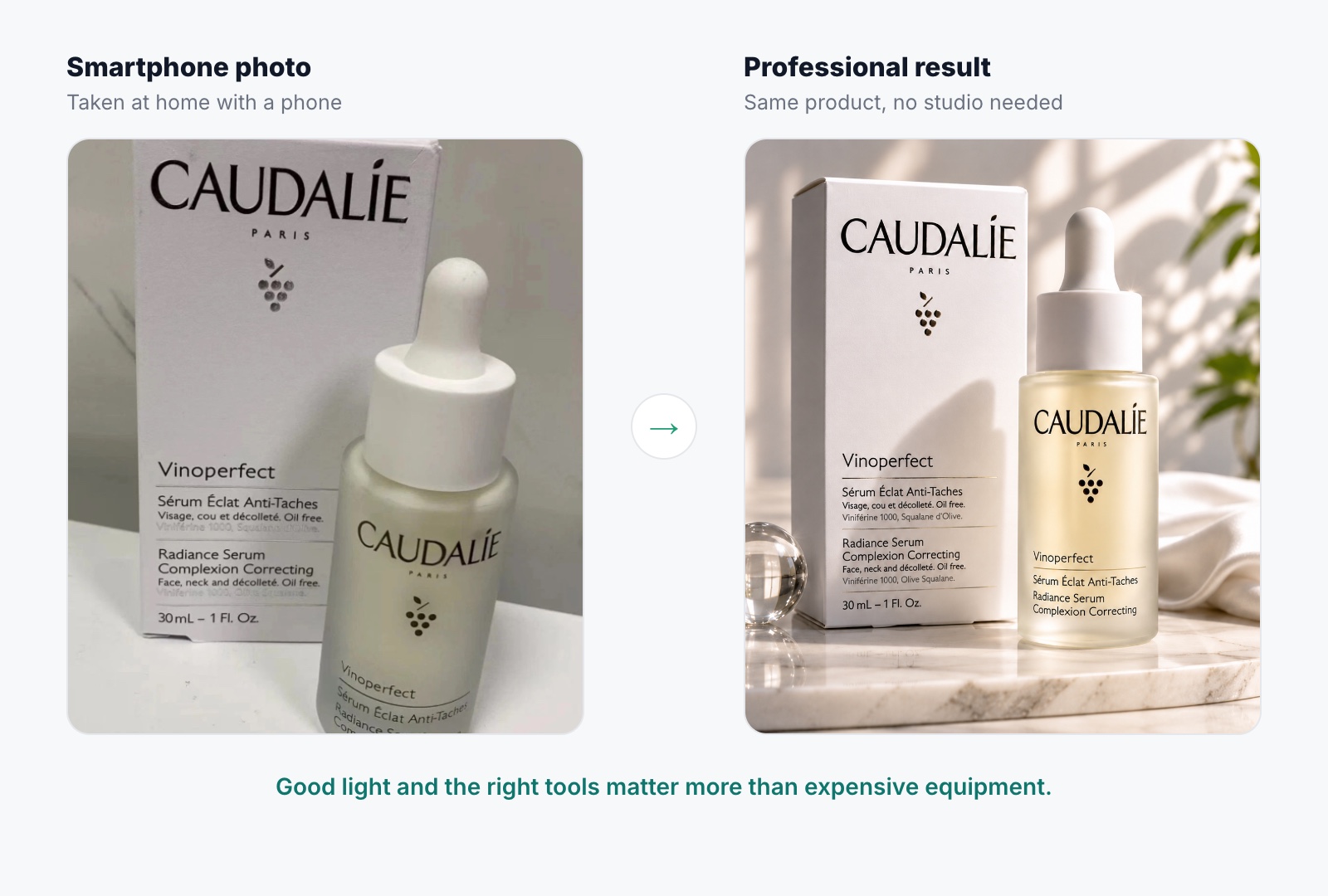
Direct sunlight often creates harsh shadows and bright reflections. Indirect light spreads more evenly across the product.
If one side of the product looks too dark, place a white foam board or reflector opposite the window.
It will bounce some of the light back onto the product and soften the shadows.
You don't need a complicated setup.
A table, a window, a white background, and a reflector can be enough for many products.
When artificial lighting makes sense
Natural light changes throughout the day.
If you're photographing dozens of products or need consistent results regardless of the weather, artificial lighting becomes more useful.
A softbox or LED light with diffusion can provide predictable illumination.
Avoid mixing different light sources with noticeably different color temperatures, such as warm household bulbs and cool daylight. That can make accurate color correction more difficult.
Improving lighting with AI
Not every product photo needs to be perfect straight out of the camera.
AI-powered editing tools can help improve lighting, balance shadows, and create a more polished studio appearance from a basic product photograph.
This is particularly useful when sellers don't have access to professional lighting equipment or need to prepare images for a large catalog.
4. Choosing the Right Background
A good background should support the product, not compete with it.
For most online stores, a white or neutral background is a reliable starting point.
It keeps attention on the product, makes catalogs look consistent, and works well for many ecommerce platforms.
You don't need a professional backdrop.
A large sheet of white paper, a foam board, or a simple photography sweep can work.
When should you use lifestyle backgrounds?
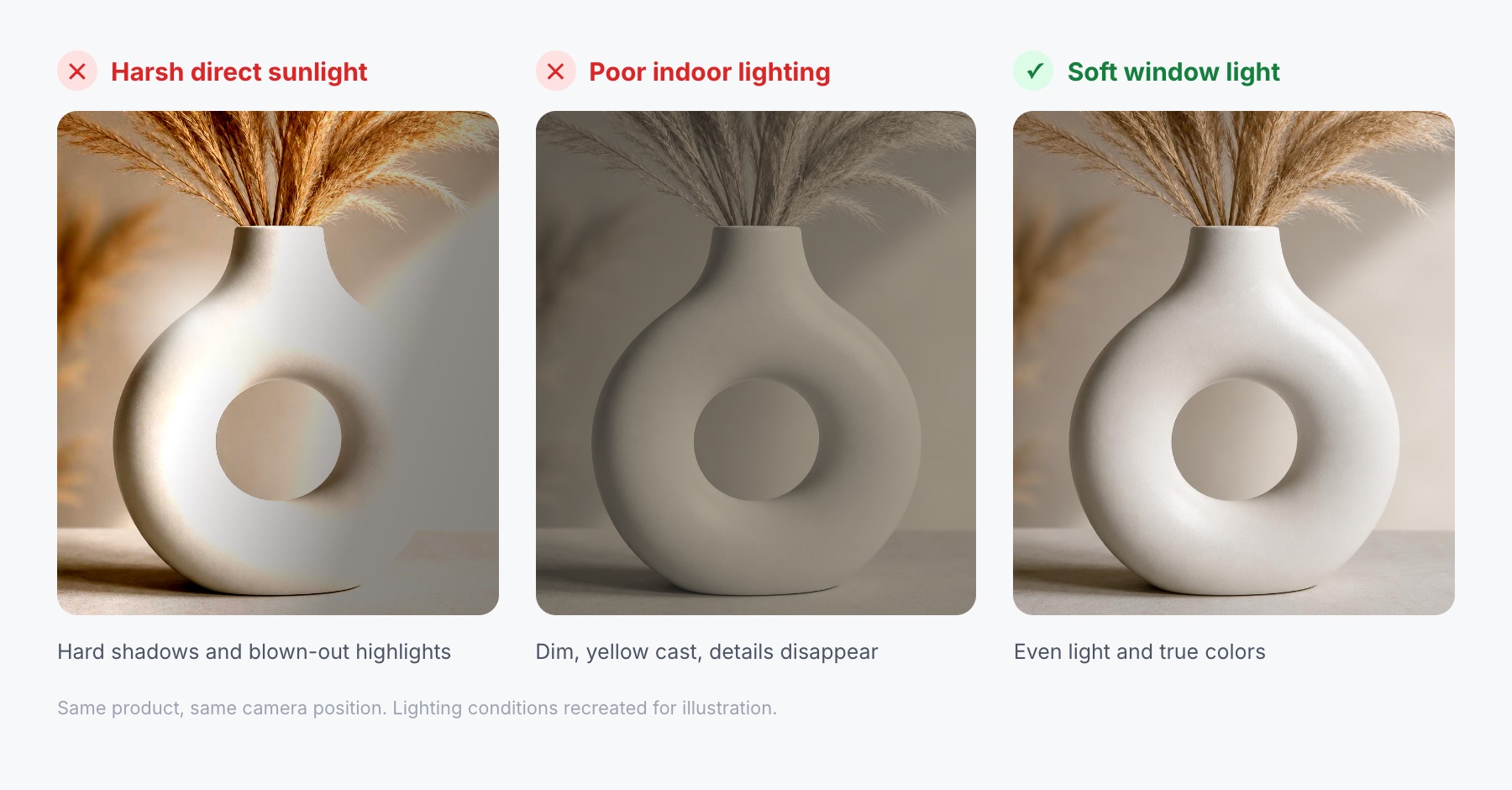
Lifestyle images are useful when the surrounding environment helps customers understand the product.
A table lamp makes more sense when shown on a desk or bedside table. A backpack benefits from being photographed in a travel or outdoor setting.
But lifestyle photos shouldn't replace clear product images.
Customers still need to see the item itself without distracting objects.
A practical approach is to use clean backgrounds for your main product photos and lifestyle settings for supporting images.
Creating lifestyle images without another photoshoot
This is where AI can make a significant difference.
Instead of arranging several physical locations, sellers can start with a single product photograph and create different lifestyle scenes digitally.
For example, a skincare product photographed against a neutral background could be presented on a bathroom shelf, a vanity, or a minimalist studio surface.
With tools like ListingSet, sellers can generate supporting product visuals and build more varied galleries without arranging separate photoshoots for every scene.
This opens up creative possibilities that would otherwise require additional time, equipment, and production costs.
5. Product Angles and Composition
One photograph rarely tells the whole story.
A customer might want to see the back of a backpack, the inside of a wallet, the connectors on an electronic device, or the texture of a piece of furniture.
That's why different angles matter.
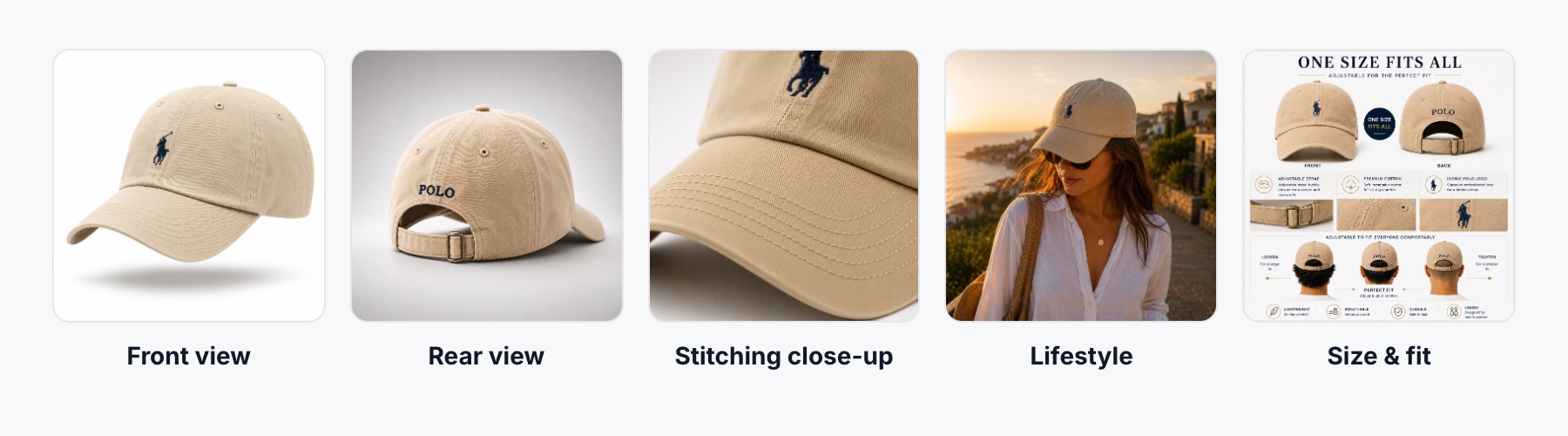
For many products, start with these views:
- Front view: Clearly show the product's overall appearance.
- Side or rear view: Reveal its shape and construction.
- Close-up: Highlight materials, finishes, or important details.
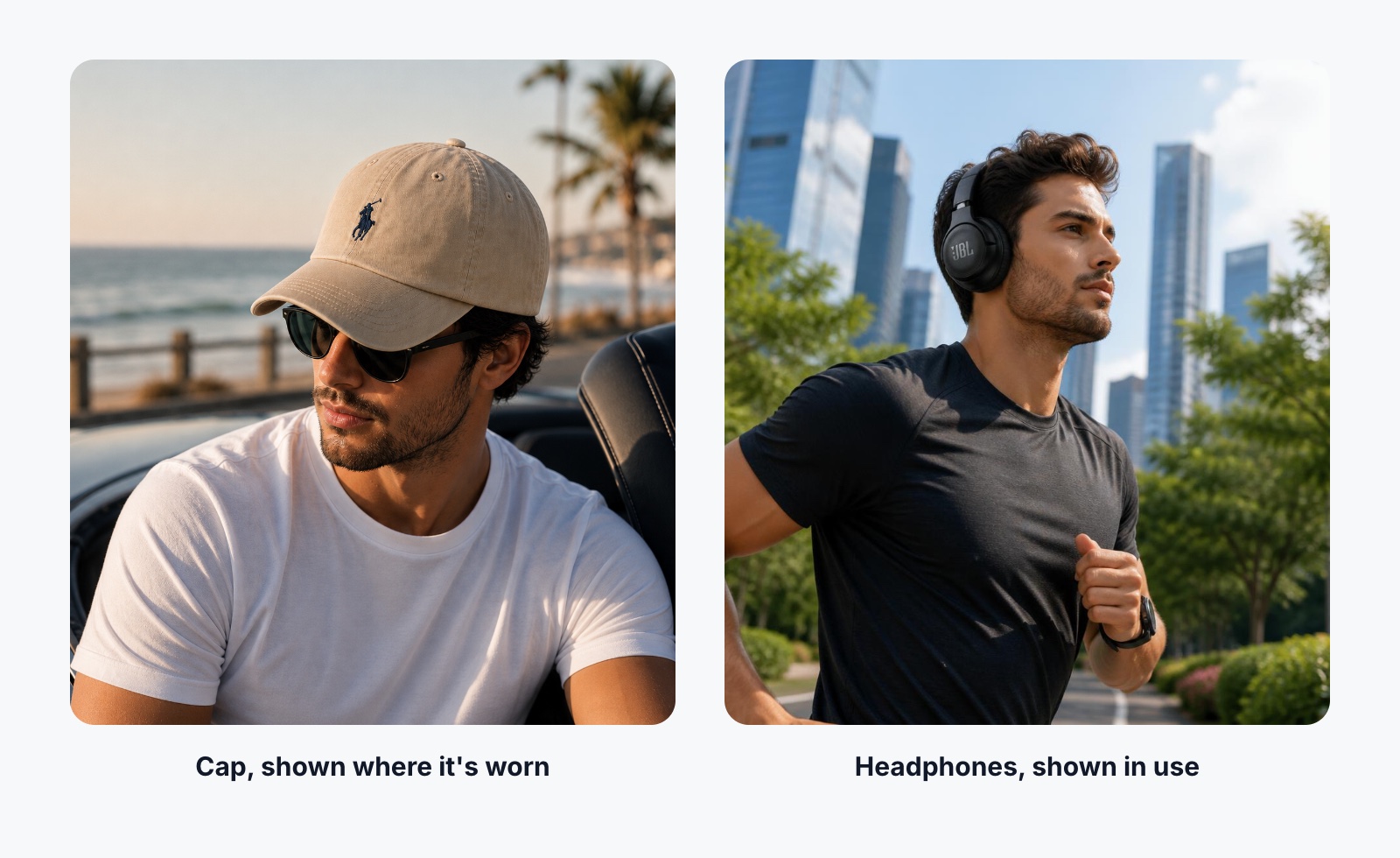
- In-use image: Show how the product looks in a realistic setting.
- Scale reference: Help customers understand its actual size.
Not every product needs all five, and some products require more.
The goal is to answer questions rather than simply increase the number of photographs.
Keep your framing consistent
If you're photographing multiple products in the same category, try to maintain similar camera angles and distances.
For example, if one handbag fills most of its image while another occupies only a small portion, the collection page may look uneven.
Consistent framing makes your store feel more organized and helps customers compare products.
AI-assisted image generation can also help create supporting views and maintain a consistent visual style, reducing the need to photograph every variation separately.
6. How to Photograph Difficult Products
Some products are more challenging than others.
Glass, jewelry, polished metal, and glossy packaging often create reflections that can hide details or make the product look distorted.
Glass and reflective products
Avoid pointing a harsh light directly at reflective surfaces.
Instead, use larger, diffused light sources and adjust their position until reflections become softer and more controlled.
For glass products, carefully placed white or black cards can help define the edges and make the shape easier to see.
Don't automatically remove every reflection during editing. Reflections help communicate that a surface is glass, polished metal, or another reflective material.
The goal is to control distracting reflections, not eliminate the product's natural appearance.
Jewelry and small accessories
Small products require careful focus.
Use a tripod, maintain a stable camera position, and make sure important details are sharp.
A phone's macro mode can help when available, but check that it doesn't introduce unwanted distortion.
For highly reflective jewelry, soft lighting and careful positioning are especially important.
Clothing and fabrics
Textures and colors matter.
Avoid lighting that washes out fabric details, and make sure the garment is presented neatly.
For clothing, flat lays, mannequin photography, and model photography can each serve different purposes.
Choose the approach that best communicates fit, shape, and material.
7. Editing Product Photos Without Overdoing It
Editing is a normal part of product photography.
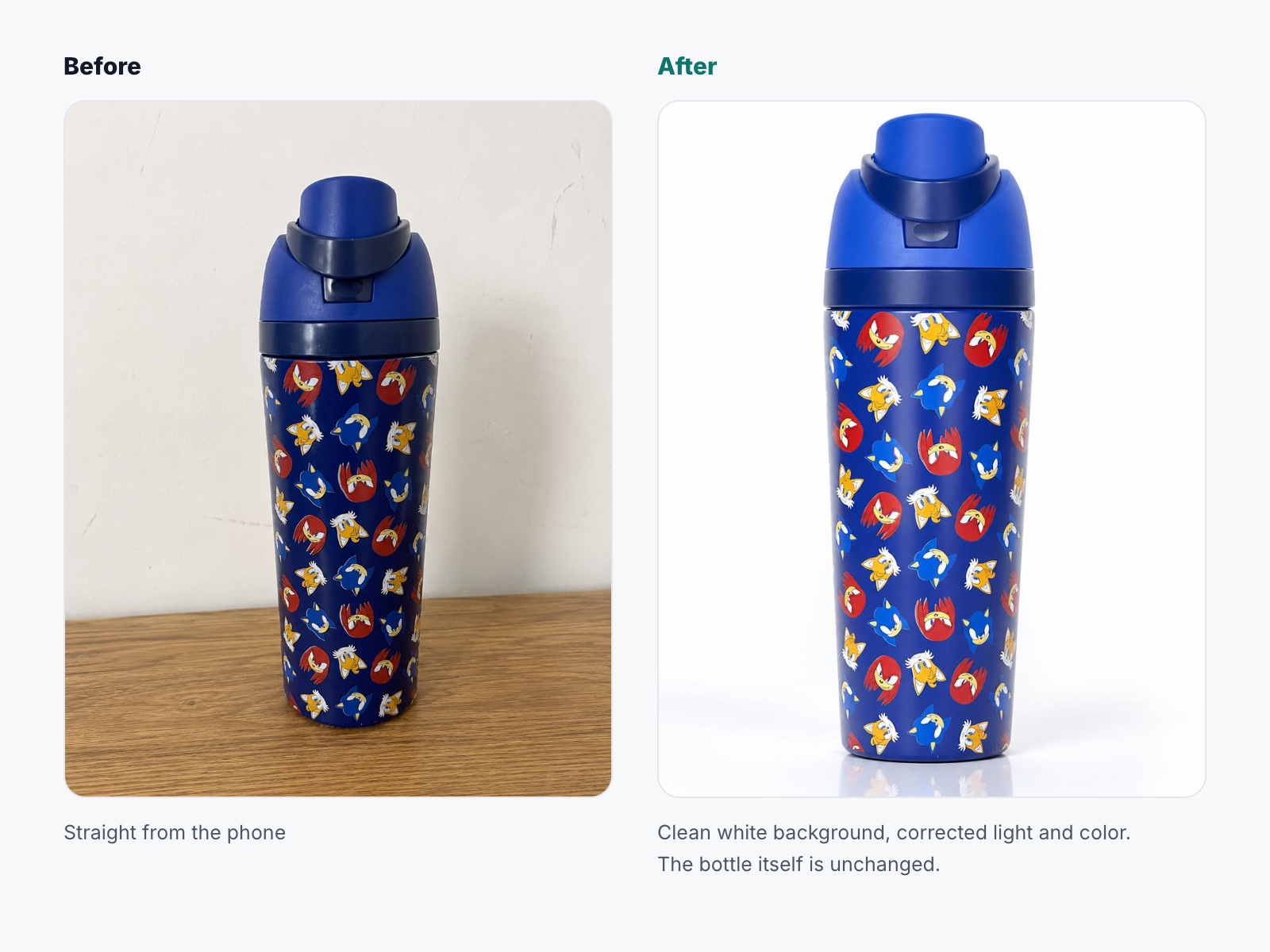
Even well-shot images can benefit from exposure adjustments, white balance correction, cropping, and background cleanup.
Today, editing goes far beyond basic brightness and contrast adjustments. AI-powered tools can improve lighting, replace backgrounds, create new compositions, and transform simple product photographs into professional-looking visuals.
The goal is to make your images attractive, clear, and suitable for the way you sell your products.
What should you edit?
- Exposure: Adjust brightness so details remain visible without losing highlights.
- White balance: Correct unwanted color casts from lighting.
- Cropping: Remove unnecessary space and keep the product properly positioned.
- Sharpness: Improve clarity and bring attention to important product details.
- Background: Remove distractions or replace the original background with a cleaner or more relevant setting.
- AI enhancements: Create new visual environments, improve presentation, and develop supporting images from the original product photo.
What should you avoid?
Avoid excessive editing that makes your product look unnatural or creates unrealistic expectations.
AI-powered editing offers far more creative freedom than traditional photo editing. You can change backgrounds, improve lighting, create lifestyle scenes, and produce entirely new visual compositions.
The important distinction is between improving how a product is presented and misrepresenting what customers will receive.
A professional product image should highlight the product's best features while giving customers a clear understanding of what they're buying.
8. Building a Complete Product Image Gallery
A clean main product photograph is a good starting point, but most online stores need more than one image.
Customers want to see details, understand dimensions, and imagine how the product fits into their lives.
For many products, a useful gallery includes:
| Image type | Purpose |
|---|---|
| Main product image | Clearly identify the product |
| Alternative angles | Show its shape and construction |
| Close-up details | Highlight materials and important features |
| Lifestyle image | Demonstrate realistic use |
| Dimensions image | Communicate size and scale |
| Feature infographic | Explain useful product features |
| What's included | Show accessories and package contents |
This doesn't mean every product needs seven images.
A simple accessory may need fewer, while a complex product may benefit from additional photographs or video.
The key is making sure every image provides useful information.
The challenge of keeping everything consistent
Creating one attractive image isn't usually the difficult part.
The challenge is producing an entire gallery with consistent lighting, proportions, colors, and styling.
This becomes more time-consuming when you're managing dozens or hundreds of listings.
Traditionally, sellers would need to photograph each view, prepare different scenes, and edit every image individually.
AI-powered tools offer a faster alternative by helping sellers generate coordinated image sets from existing product photos.
Instead of treating each image as a separate project, you can build a more consistent visual workflow for your entire catalog.
9. Common Product Photography Mistakes
A few recurring mistakes can make otherwise good products harder to sell.
- Poor lighting: Dark images or harsh shadows can hide important details.
- Cluttered backgrounds: Too many props distract customers from the product.
- Inconsistent image sizes: Mixed framing and aspect ratios can make product grids look disorganized.
- Too many similar angles: Repetitive photographs don't provide additional information.
- Overediting: Excessive effects and unnatural colors can reduce the quality of the presentation.
- Missing scale references: Customers may struggle to understand how large or small a product actually is.
- Ignoring mobile: Text-heavy graphics and small product details may become difficult to see on a phone.
Before publishing, review the gallery on both desktop and mobile.
Ask yourself whether a first-time visitor could understand the product without reading every line of the description.
If important questions remain unanswered, the gallery probably needs another useful image.
10. Creating Professional Product Images With ListingSet
Traditional product photography can work extremely well, especially when you have a dedicated setup and a manageable number of products.
But producing complete image galleries for a growing catalog takes time.
Every new product may need a main image, additional views, lifestyle scenes, feature graphics, and consistent presentation across the store.
That's where ListingSet comes in.
From one product photo to a complete listing image set
ListingSet is an AI-powered platform built for ecommerce sellers who want to create complete product image sets without producing every visual separately.
Instead of working on individual images one at a time, sellers can use ListingSet to generate a coordinated collection of product visuals.
The platform supports:
- Main product images: Clean, professional-looking visuals suitable for product listings.
- Lifestyle scenes: Product images presented in relevant environments.
- Additional product angles: Supporting views to help customers understand the product.
- Feature infographics: Visual explanations of important product details.
- AI-generated listing content: Product titles and descriptions to accompany the images.
The goal is to make product listing creation faster and more consistent, particularly for sellers regularly adding products to their catalogs.
Why complete image sets matter
A single attractive product image isn't enough if the rest of the gallery looks unrelated.
A professional listing should feel cohesive.
The main image, lifestyle scenes, close-ups, and infographics should all represent the same product with consistent colors, proportions, and details.
ListingSet is designed around that complete-gallery workflow. Instead of producing each image as an isolated task, it generates coordinated images together, so the main image, lifestyle scenes and supporting visuals share the same consistent visual style.
It can also reduce the amount of repetitive work involved in creating supporting visuals for multiple products.
AI still needs a final quality check
AI-generated images should always be reviewed before publishing.
Check labels, logos, colors, materials, dimensions, and any features that affect what customers expect to receive.
The same applies to AI-generated descriptions and feature claims.
A professional listing isn't simply one that looks attractive. It must accurately represent the product being sold.
Less time editing, more time selling
Creating professional product images traditionally involves several stages: setting up the product, arranging lighting, photographing multiple angles, editing the images, preparing lifestyle scenes, and organizing the final gallery.
For a seller with a large catalog, repeating that process for every product can become a significant workload.
ListingSet simplifies that process by bringing image generation and listing content creation into one workflow.
Rather than moving between multiple tools to produce each visual, sellers can create a coordinated image set and make adjustments where needed.
This is particularly valuable for independent sellers, growing ecommerce brands, and teams managing multiple product listings.
Try ListingSet for Your Next Product
If you already have a product photo and want to turn it into a complete, professional-looking listing, ListingSet provides a faster way to get started.
Create main product images, lifestyle scenes, additional views, feature infographics, and listing content from one place.
Whether you're preparing your first product listing or managing hundreds of products, the goal is the same: professional product presentation without the time and expense of producing every image manually.