
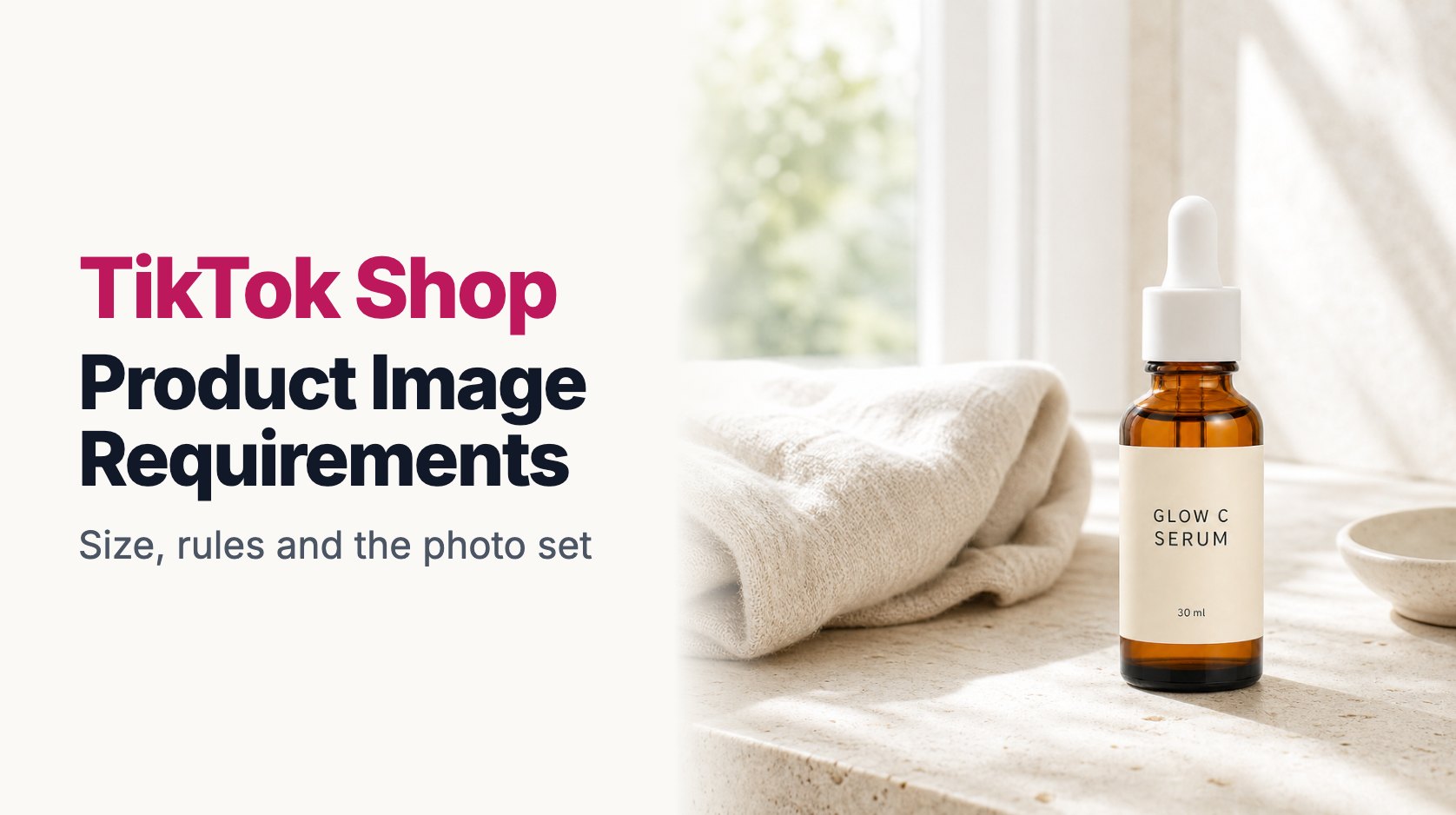
Most people find a TikTok Shop product in a video, not in search.
Someone is scrolling, a creator holds up a serum or a phone stand, a product link pops up under the video, and they tap it. What opens next is your product page. That's the moment your photos have to take over from the video and close the sale.
It's a strange position for a product photo to be in. The shopper is already interested, but they arrived with the energy of a video, and a flat, dull product page feels like a step down. Your photos have to keep that momentum going while answering the practical questions: what exactly do I get, how big is it, and is it the same thing I just saw?
This guide covers the technical requirements first, then the part that actually moves sales.
TikTok Shop Image Size and Format
TikTok Shop is less strict about images than Amazon or Walmart, but a listing with poor images can be rejected or held back, and the numbers below keep you safely inside the rules.
| Setting | What to use |
|---|---|
| Recommended size | 1200 × 1200 px |
| Minimum | 600 × 600 px |
| Shape | Square (1:1) |
| File types | JPG or PNG |
| Max file size | 5 MB per image |
| Photos per product | Up to 9 |
Square is the shape to aim for. TikTok Shop shows product images as squares in most places, so anything taller or wider gets cropped or padded, and it rarely looks as good as an image that was square to begin with.
The minimum size is low, but don't treat it as a target. At 600 px, a photo looks acceptable in a small thumbnail and soft the moment someone opens it on a newer phone. 1200 px is the sweet spot: sharp on any screen, and well under the file size limit.
Rules can differ slightly by country and category, and TikTok updates them from time to time. If a listing gets flagged, the message in Seller Center will tell you which rule it broke.
The Main Image: Clean, Square, Product First
Your first image is the one shown in search results, in the shop tab and in the product card that pops up from a video. It's the most important photo you'll upload.
TikTok's guidelines push sellers toward a simple main image: the product on a white or light, plain background, filling most of the frame, with nothing added on top. That means no prices, no "50% OFF" stickers, no "viral" badges, no watermarks and no collages.
Sellers coming from social media often fight this rule. On TikTok itself, bold text works. On the product page, it works against you. Promotional text on the main image can get a listing flagged, and even when it doesn't, it makes the product harder to see at thumbnail size.
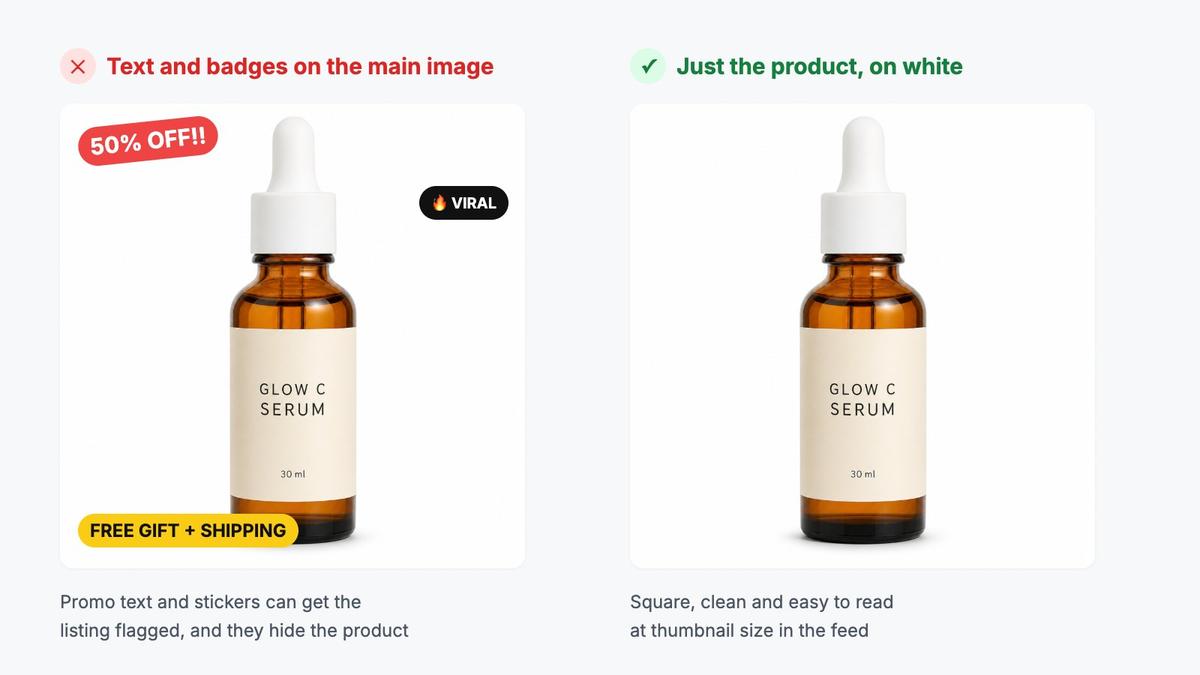
If your product photo was taken on a desk or a bathroom counter, you can swap the background for pure white in a few seconds instead of reshooting.
Promotions belong in TikTok's own discount and voucher tools. Those show up as proper labels on the listing and change automatically when the promotion ends. A sticker baked into the photo doesn't.
What the Other Eight Photos Should Do
After the main image, you have up to eight more slots. This is where the listing starts to feel like the video the shopper just watched.
For most products, a strong set looks something like this:
- Main image: The product alone, square, on white.
- Detail shot: Texture, finish, the dropper, the stitching. Whatever proves quality up close.
- Lifestyle photo: The product in a real setting: a bathroom shelf, a kitchen counter, a desk.
- Size reference: Measurements on the image, or the product in a hand.
- Feature image: Three or four short benefits around the product. This is the right place for text.
- In use: Someone applying, wearing, pouring or holding it.
- What's in the box: Especially for sets, bundles and gifts.
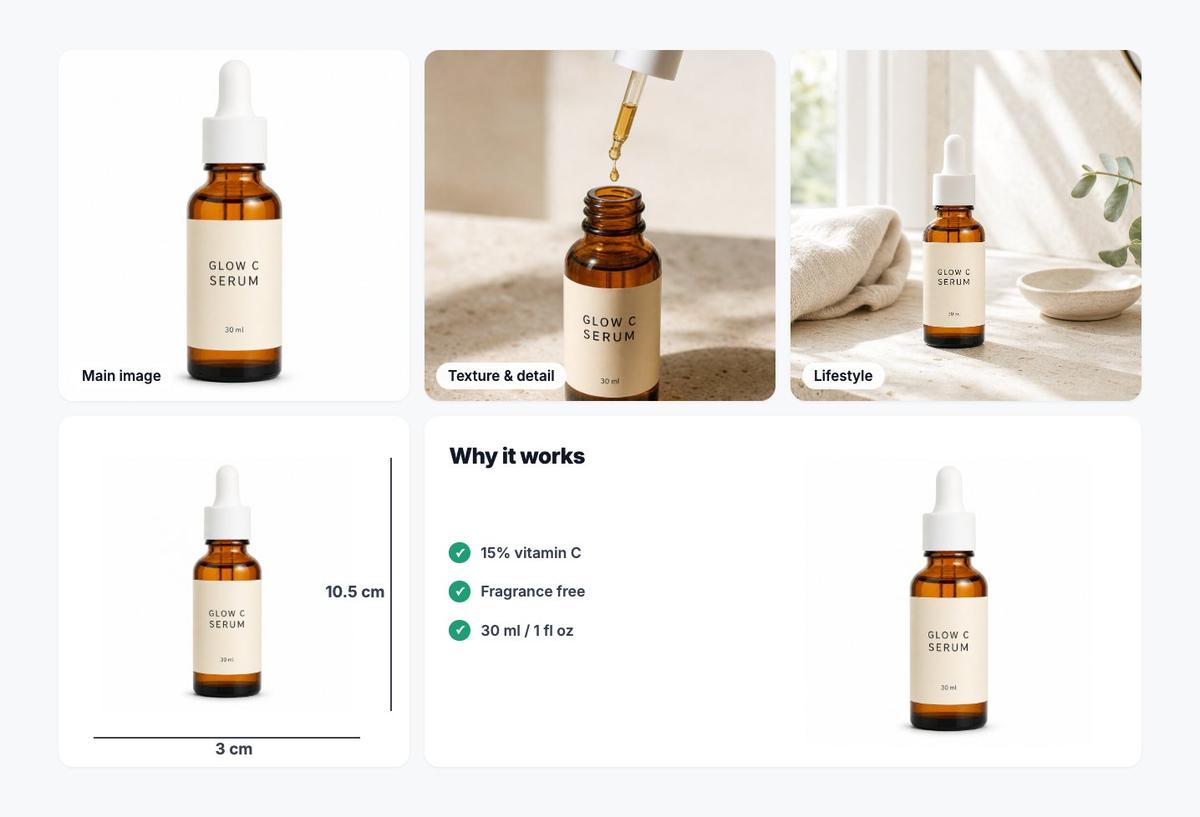
Notice the difference between the main image and the feature image. Text is fine on photos two through nine, as long as it's short and readable on a phone. Three benefits in large type will do more than a paragraph in small print.
Size deserves extra attention on TikTok Shop. Videos are great at making products look appealing and terrible at showing scale. A serum that looks generous in a close-up video can turn out to be a 30 ml bottle, and "smaller than expected" is one of the most common reasons for returns and bad reviews.
Make the Photos Match the Video
This is the part most sellers miss.
When a shopper taps through from a creator's video, they expect to see the same product, in the same color, with the same packaging. If the video shows a warm amber bottle and your main image shows a pale, washed-out one, the shopper hesitates. Did they click the right thing? Is this the same item?
A few habits help:
- Use the same packaging version everywhere. If you've updated the label, update the photos too.
- Match colors to reality, not to a filter. TikTok videos are often warm and saturated; your product photos should show the real color so the product doesn't disappoint when it arrives.
- Include one photo that looks like the video. A lifestyle shot in a similar setting makes the jump from video to product page feel continuous.
If you work with affiliates and creators, send them the same product version you photographed. It sounds obvious, but mismatches between creator videos and listing photos are surprisingly common.
Product Videos on the Listing
Alongside photos, TikTok Shop lets you add a product video to the listing itself. It's worth doing, even if creators are already making videos for you.
A listing video doesn't need to be a polished ad. Ten to thirty seconds of the product being opened, turned around and used answers questions that photos can't: how the serum drips, how a fabric moves, how loud a gadget is. Shoot it vertically, keep the product in the center, and show the real thing in good light.
Common Reasons Listings Get Flagged
Most image problems on TikTok Shop come from a short list of mistakes:
- Promotional text, prices or badges on the main image.
- Watermarks or another shop's logo on the photo.
- Photos that are blurry, dark or too small.
- Images that don't match the product title, color or variant.
- Collages that squeeze several products into one main image.
- Before-and-after claims that the product can't support, which is especially sensitive for beauty and health products.
If a listing is held back, fix the specific photo named in the message rather than replacing everything.
Using AI Images on TikTok Shop
AI tools are a practical way to fill out the photo set, especially lifestyle shots. Instead of styling a different setting for every product, you can place your real product photo in a bathroom, kitchen or desk scene.
The rule to follow is simple: the product in every image has to be the product the customer receives. Same shape, same color, same label, same size. AI should change the setting around the product, never the product itself. And don't use AI to fake results, like smoother skin or brighter teeth, that the product can't deliver.
ListingSet was built for this kind of workflow. You upload 1 to 5 photos of your product and get a full set: a clean main image, lifestyle scenes, close-ups, a size image and an infographic, all designed around the item you're actually selling. Then you can resize everything to TikTok Shop's square format and check it against the size and file limits before you upload. As with any AI tool, compare the results with the real product before you publish.
TikTok Shop Image Checklist
Before you publish, check that:
- The main image is square, on a plain white or light background, with no text or badges.
- Every image is at least 1200 × 1200 px and under 5 MB.
- There's at least one detail shot and one clear size reference.
- Colors match the real product and the videos promoting it.
- Text, if any, appears only on the secondary images and is readable on a phone.
- Every variant you sell has its own correct photo.
- AI-generated images show the real product without changes.
Final Thoughts
On TikTok Shop, the video gets the click and the photos close the sale.
Keep the main image clean and square, use the other slots to answer the questions a shopper would ask, and make sure the product on the page looks exactly like the one in the video.
That last part, more than any pixel size, is what keeps shoppers from backing out.